

Disclosure: This content is reader-supported, which means if you click on some of our links that we may earn a commission.
Most guides on web hosting types read like a vendor brochure. They explain what a shared server is without telling you that 1,000 accounts can sit on one machine, or that "unlimited storage" disappears the second you hit an inode cap no one mentioned.
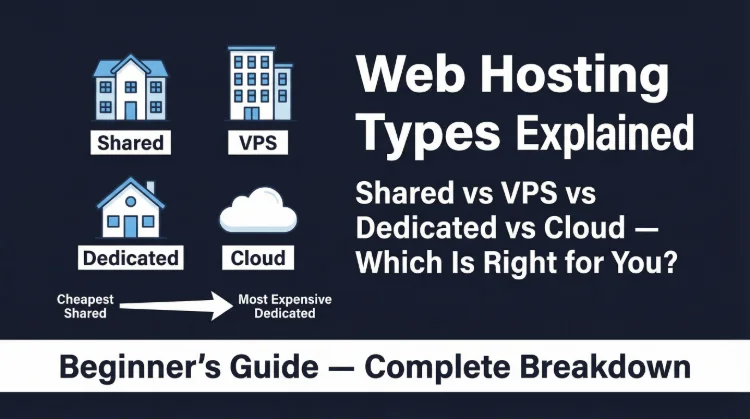
This guide is different. We explain every major hosting type with real resource numbers, hardware specs, control panel comparisons, and a decision table that tells you exactly which type fits your current situation, and which types you are currently overpaying for or outgrowing.
Navigation:
- 1. All Hosting Types at a Glance (Decision Table)
- 2. Shared Hosting, The Starting Point (And Its Hard Limits)
- 3. VPS Hosting, Where Real Performance Begins
- 4. Cloud Hosting, Elasticity vs. Complexity
- 5. Dedicated Servers, When You Own the Hardware
- 6. Managed WordPress Hosting, Premium Speed, Premium Price
- 7. Reseller Hosting, For Agencies and Web Designers
- 8. Web Server Software, Apache vs. Nginx vs. LiteSpeed
- 9. Control Panels, cPanel vs. Plesk vs. SPanel
- 10. Which Type Should You Choose?
- Frequently Asked Questions
1. All Hosting Types at a Glance
If you are short on time, this table gives you the full picture. Every major hosting type, its ideal use case, price range, and our straight verdict. The detailed breakdown follows below.
| Hosting Type | Best For | Price Range/mo | Tech Skill Needed | Our Verdict |
|---|---|---|---|---|
| Shared Hosting | Blogs, small sites, beginners | $1-$10 | None | Start here if you have under 10k visits/mo |
| VPS Hosting | Growing sites, developers, WooCommerce | $10-$80 | Moderate | Best performance-per-dollar after shared |
| Cloud Hosting | Traffic spikes, agencies, SaaS apps | $10-$200+ | Moderate-High | Elastic scaling; worth it above ~50k visits/mo |
| Dedicated Server | Large eCommerce, high-traffic portals | $80-$500+ | High | Rarely needed, VPS/cloud handles most cases |
| Managed WordPress | WordPress-only sites, hands-off owners | $20-$300 | None | Best WP speed; expensive for what you get |
| Reseller Hosting | Web designers, agencies hosting clients | $10-$50 | Moderate | Only makes sense if you manage 5+ client sites |
| Colocation | Enterprises with owned hardware | $100-$1000+ | Very High | Not for individuals, skip unless you own servers |
The Rule of Thumb We Use at ThatMy.com
Start on shared hosting. Move to a managed VPS when your host first throttles your CPU. Move to cloud when your traffic is genuinely unpredictable. Buy a dedicated server only when a managed VPS is measurably the bottleneck, which is rarer than hosting companies want you to believe.
2. Shared Hosting, The Starting Point (And Its Hard Limits)
Shared hosting is the foundation of the web hosting industry. Your website lives on a physical server alongside 200 to 1,000 other websites. You share the CPU, RAM, storage I/O, and network bandwidth of that single machine with every other account on it.
This is not inherently a problem. For a new blog serving 500 visits per day, those resources are more than sufficient. The problems emerge at scale.
What "Unlimited" Actually Means on Shared Hosting
Every budget host advertises "unlimited storage," "unlimited bandwidth," and "unlimited email accounts." These claims are marketing, not technical reality. The actual limits live in three places most new users never read: the Terms of Service, the Acceptable Use Policy, and the inode cap buried in the server specs.
The inode limit is the most dangerous hidden cap. Every file on your server, every WordPress core file, plugin file, cache fragment, and email in your inbox, consumes one inode. Most shared plans cap you at 100,000 to 250,000. A WordPress install with 30 active plugins, a caching plugin generating per-page cache files, and an active email inbox will burn through 80,000+ inodes before you have uploaded a single product photo.
Shared Hosting Resource Limits: The Real Numbers
| Resource | Typical Shared Limit | Why It Matters | When You Hit the Wall |
|---|---|---|---|
| CPU | 5-20% of 1 core (soft) | Slow TTFB under traffic spikes | Any viral post or >500 concurrent users |
| RAM | 256MB-512MB allocated | PHP workers crash if exceeded | Complex WooCommerce checkouts, large plugins |
| Storage | 10GB-Unlimited (throttled) | Unlimited is marketing, inodes cap you | Sites with large media libraries hit inode limits first |
| Inodes | 100,000-250,000 typical | Each file = 1 inode; WordPress eats these fast | ~30 plugins + cache files + backups = 80k inodes |
| Bandwidth | Unmetered (throttled above limit) | Throttling is real despite the marketing | Usually fine unless you host large video files |
| PHP Workers | 4-10 concurrent | Queues requests; causes 503 errors | Flash sales, sudden press coverage, bot traffic |
The Noisy Neighbor Problem
When another site on your shared server gets hit with a traffic spike, a Reddit mention, a viral tweet, a bot scrape, it consumes a disproportionate share of the server's CPU and RAM. Your site slows down or returns 503 errors without any change on your end. This is the "noisy neighbor" problem, and it is baked into the shared hosting architecture. You cannot solve it without moving to a VPS.
Who Should Use Shared Hosting
- New bloggers and personal portfolio sites under 5,000 visits per month
- Small business brochure sites with no dynamic checkout
- Development or staging environments for agencies
- Anyone testing a business idea who cannot yet justify $30/mo
Who Should NOT Use Shared Hosting
- WooCommerce stores processing live transactions (CPU limit will throttle checkout)
- Sites that have been suspended or throttled by their current host even once
- Any site above 10,000 organic visits per month consistently
- Businesses where 10 minutes of downtime costs real money
Best shared hosts that avoid the worst resource traps: ScalaHosting (NVMe + fair renewals), ChemiCloud (LiteSpeed + lifetime free domain), and Hostinger (cheapest per dollar, but watch the 4-year lock-in).
3. VPS Hosting, Where Real Performance Begins
A VPS (Virtual Private Server) uses hypervisor software, typically KVM or VMware, to partition a physical server into isolated virtual machines. Each VM gets a guaranteed allocation of CPU cores, RAM, and storage IOPS. What happens on another VM on the same physical host cannot affect yours.
This isolation is the entire value proposition of VPS hosting. It converts "soft" shared limits into hard, reliable guarantees.
VPS vs. Shared Hosting: Side by Side
| Factor | Shared Hosting | VPS Hosting |
|---|---|---|
| CPU Allocation | Shared pool, no guarantee | Dedicated vCPU cores, guaranteed |
| RAM | Shared, noisy neighbor risk | Dedicated RAM (e.g. 2GB guaranteed) |
| Server Isolation | None, 200-1000 accounts per server | Full OS-level isolation via hypervisor |
| Root Access | No | Yes (unmanaged) / Optional (managed) |
| Scalability | Must migrate to upgrade plan | Upgrade RAM/CPU without migrating |
| Price | $1-$10/mo intro (renews higher) | $10-$80/mo stable pricing |
| Suitable Traffic | Under 10,000 visits/mo | 10,000-500,000 visits/mo |
| Best For | Bloggers, small businesses, beginners | Developers, WooCommerce, growing sites |
Managed vs. Unmanaged VPS: The Critical Distinction
Unmanaged VPS gives you a raw Linux instance with root access. You install the web server (Nginx, Apache, LiteSpeed), PHP, MySQL, the control panel, and every security patch yourself. Providers like Contabo, Linode, and Vultr operate this model. Monthly cost: $6-$20. Required skill: comfortable in the Linux command line.
Managed VPS includes the full software stack installed and maintained by the provider: web server, PHP, control panel, security patches, backups, and sometimes server-level caching. ScalaHosting's managed VPS plans run SPanel (their cPanel replacement) and LiteSpeed at no extra cost. Monthly cost: $29-$100. Required skill: same as shared hosting.
Unless you are a sysadmin by trade, choose managed. The $10-$15/mo premium for management pays for itself the first time you would have spent a weekend debugging a kernel security patch.
Hardware Inside a VPS: What the Specs Actually Mean
| Component | Shared Hosting | VPS / Cloud | Dedicated Server |
|---|---|---|---|
| CPU | Intel Xeon / AMD EPYC (shared pool) | 1-16 vCPU cores dedicated | Full server: 8-64 physical cores |
| RAM | 256MB-512MB soft limit | 1GB-32GB dedicated | 16GB-512GB fully dedicated |
| Storage | SATA SSD or NVMe (shared IOPS) | NVMe PCIe 4.0 (dedicated IOPS) | NVMe or RAID SSD arrays (full throughput) |
| Network | Shared 1Gbps uplink | Dedicated 1Gbps port | Dedicated 1-10Gbps port |
| Neighbors | 200-1000 other websites | 0-20 VMs on same hypervisor | None, the whole machine is yours |
| OS Control | None (managed by host) | Full root access (unmanaged) or partial (managed) | Complete, you choose the OS and kernel |
The CPU Benchmark You Should Always Ask For
Not all vCPUs are equal. A vCPU on a 2015 Intel Xeon E5 server and a vCPU on a 2024 AMD EPYC 9474F are separated by roughly 5x in single-thread performance. Single-thread performance is what WordPress measures, it processes one PHP request per thread. ScalaHosting runs AMD EPYC 9474F CPUs ranked in the top 3% of all server processors on PassMark. That is not a marketing claim, it is a PassMark score you can verify at cpubenchmark.net.
Always ask your VPS provider: "What CPU model runs my VPS?" If they cannot or will not answer, that is a red flag.
4. Cloud Hosting, Elasticity vs. Complexity
Cloud hosting replaces a single physical server with a distributed cluster of machines. Your site's compute, storage, and networking resources are pooled across multiple nodes. When traffic spikes, the orchestrator provisions additional capacity automatically. When traffic drops, it releases those resources.
This is not marketing. It is a fundamentally different architecture from VPS, and it solves a specific problem: unpredictable traffic patterns.
Cloud Hosting Core Concepts
| Concept | What It Means | Why You Care |
|---|---|---|
| Auto-Scaling | Server resources expand automatically during traffic spikes | Your site survives a Reddit hug-of-death without manual intervention |
| Load Balancing | Traffic distributed across multiple nodes | No single point of failure; one node dying doesn't kill your site |
| SSD/NVMe Storage | Data stored on redundant distributed volumes | Faster I/O than single-disk VPS; snapshots are instant |
| Pay-As-You-Go | Billed per hour of actual resource usage | Scale down during quiet periods, you only pay for what you use |
| Global CDN Integration | Edge caching via PoPs worldwide | TTFB under 80ms for visitors anywhere in the world |
| Managed vs Unmanaged | Managed = provider handles OS, security patches, updates | Choose managed (Cloudways) unless you have a dedicated sysadmin |
When Cloud Hosting Makes Sense
Cloud hosting earns its premium price tag in three scenarios:
- Traffic is genuinely unpredictable: Media sites, news blogs, viral content, anything where you might get 50 visitors today and 50,000 tomorrow
- Downtime is expensive: SaaS products, eCommerce during sales events, any site where 30 minutes of downtime has a measurable revenue cost
- Global audience requires global edge delivery: Cloud platforms like Cloudways + Cloudflare put your content within 20ms of visitors worldwide
When Cloud Hosting Is Oversold
For a blog with 5,000-30,000 visits per month on a predictable schedule, cloud hosting is overkill. You are paying for auto-scaling infrastructure that will never scale for you. A managed VPS at $30/mo will give you better performance per dollar, simpler billing, and lower latency for your primary geographic audience.
Cloudways is our recommended cloud hosting platform because it abstracts the infrastructure complexity (DigitalOcean, Vultr, AWS, GCP, Linode) behind a clean UI, includes Breeze caching and Cloudflare CDN integration, and charges transparent hourly billing. Their DigitalOcean 1GB plan at $14/mo handles WordPress for most sites under 50,000 visits per month.
5. Dedicated Servers, When You Own the Hardware
A dedicated server means the entire physical machine is yours. No other tenants. No hypervisor overhead. Full access to every CPU core, every gigabyte of RAM, and every IOPS of storage the server offers.
This is the most powerful and most expensive hosting option available from a provider. It is also the most frequently oversold.
The Honest Case For and Against Dedicated Servers
You actually need a dedicated server if:
- Your site consistently serves above 500,000 visits per month and a managed VPS is measurably bottlenecked
- You run compute-intensive jobs, video encoding, large database queries, machine learning inference, that need raw, unshared CPU access
- PCI DSS or HIPAA compliance requires physical server isolation
- You have in-house Linux sysadmins who can manage OS-level security
You do NOT need a dedicated server if:
- Your argument is "I want better performance", a ScalaHosting managed VPS on AMD EPYC will outperform a $100/mo dedicated server on a 2016 Xeon in WordPress benchmarks
- You want to "future-proof" for traffic you don't have yet, pay for capacity when you need it, not years in advance
- You don't have a sysadmin, an unmanaged dedicated server that gets compromised will cost you far more than the monthly savings
Better alternatives for 90% of use cases: ScalaHosting Managed VPS (AMD EPYC, $29.95/mo), Hetzner Dedicated (if you have sysadmin capacity, from €39/mo bare metal), or Cloudways scaling to a larger DigitalOcean droplet.
6. Managed WordPress Hosting, Premium Speed, Premium Price
Managed WordPress hosting is a VPS or cloud environment purpose-built exclusively for WordPress. The infrastructure is locked down to one CMS, and in exchange, you get: automatic WordPress core and plugin updates, staging environments, WP-specific server caching (object cache, page cache, bytecode cache), and support teams who understand PHP and WordPress internals.
The question is never "is managed WordPress hosting good?", it always is. The question is whether the price is justified relative to alternatives.
Managed WordPress: Price vs. Reality
| Provider | Entry Plan Price | Sites Allowed | Storage | Visits/mo | Worth It? |
|---|---|---|---|---|---|
| WP Engine Startup | $20/mo (renews $25/mo) | 1 site | 10GB | 25,000 | Only if WooCommerce is your revenue engine |
| Kinsta Single 20GB | $35/mo | 1 site | 10GB | 25,000 | Best infrastructure; price is hard to justify for small sites |
| Cloudways (DO 1GB) | $14/mo | Unlimited | 25GB | Unmetered | Best value in managed; requires basic tech comfort |
| ScalaHosting Managed VPS | $29.95/mo | Unlimited | 50GB NVMe | Unmetered | Best option for agencies managing multiple WP sites |
The Honest Assessment
WP Engine and Kinsta are technically excellent. Their infrastructure genuinely outperforms average VPS configurations. But they charge you for WP expertise and SLA guarantees that most individual site owners do not leverage. You are paying for an enterprise product on an individual budget.
Cloudways at $14/mo with Breeze caching and Cloudflare free tier delivers 95% of the WP Engine experience at 30% of the price. For agencies and developers, ScalaHosting's managed VPS with SPanel gives you unlimited sites, LiteSpeed server caching, and AMD EPYC hardware, and costs less than a single Kinsta Single 20GB plan.
7. Reseller Hosting, For Agencies and Web Designers
Reseller hosting lets you purchase a block of server resources from a provider and subdivide them into individual hosting accounts you sell or manage for clients. You get WHM (Web Host Manager) access to create cPanel accounts, set resource limits per client, and white-label the environment with your agency's branding.
When Reseller Hosting Makes Sense
Reseller hosting pays for itself when you manage five or more client websites. Below that number, individual shared hosting accounts per client are cheaper. Above five, managing billing, backups, and migrations from a single WHM dashboard becomes a meaningful time saving, especially when clients call you at midnight about a broken plugin.
Reseller vs. Managed VPS for Agencies
Reseller hosting is simpler, you are buying pre-packaged infrastructure. The ceiling is low; if a single client site goes viral, the reseller plan throttles you the same way shared hosting does.
Managed VPS with SPanel (ScalaHosting's approach) gives you the same WHM-like multi-account management without the CPU throttling ceiling. You can allocate resources per client, create isolated accounts, and scale the underlying VPS without migrating any client site. This is the architecture we recommend for agencies today.
8. Web Server Software, Apache vs. Nginx vs. LiteSpeed
The web server software running on your host matters more than most users realize. It is the layer that receives every HTTP request and decides how fast it responds. Two hosts can have identical hardware, same CPU, same RAM, same NVMe, and one can be 3x faster for WordPress simply because it runs LiteSpeed instead of Apache.
| Web Server | Used By | WordPress Speed | Static File Serving | Memory Usage | Our Take |
|---|---|---|---|---|---|
| Apache | GoDaddy, Bluehost, legacy shared hosts | Slowest, .htaccess rewrite per request | Average | High | Avoid for WordPress, mod_php model is outdated |
| Nginx | Cloudways, DigitalOcean, Kinsta | Fast, event-driven, handles concurrent requests well | Excellent | Low | Strong choice; no .htaccess, config via server block |
| LiteSpeed Enterprise | ScalaHosting, A2 Turbo, ChemiCloud | Fastest, native LiteSpeed Cache plugin for WP | Excellent | Low | Best for WordPress; drop-in Apache replacement (reads .htaccess) |
| OpenLiteSpeed | Budget VPS with Cyberpanel | Very fast, free version of LiteSpeed Enterprise | Excellent | Very Low | Best free option; minor limitations vs enterprise version |
| Caddy | Niche self-hosted setups | Good with PHP-FPM | Very Good | Very Low | Not relevant for mainstream hosting; no cPanel support |
The WordPress-Specific Argument for LiteSpeed
LiteSpeed Enterprise includes a server-level caching module that the free LiteSpeed Cache plugin hooks into directly. This is not a PHP-level cache, it bypasses PHP entirely for cached pages, serving them from memory at the speed of static files. Apache and Nginx require external caching layers (W3 Total Cache, WP Rocket) that still pass through PHP on every cache miss. LiteSpeed handles the cache miss at the server module level. The practical result: 40-60% lower TTFB on WordPress sites with identical content.
Hosts running LiteSpeed Enterprise: ScalaHosting, ChemiCloud, A2 Hosting (Turbo plans only), Verpex.
9. Control Panels, cPanel vs. Plesk vs. SPanel
A hosting control panel is the graphical interface between you and your server. It handles domain management, email account creation, file management, SSL certificate installation, database administration, and one-click app installs. The panel your host uses affects your daily workflow significantly.
| Panel | Who Uses It | Monthly License Cost | Best Feature | Weakness |
|---|---|---|---|---|
| cPanel / WHM | Most shared & VPS hosts | $15-$45/server (passed to you) | Industry standard, most tutorials use it | License price hikes since 2021; costs inflated hosting plans |
| Plesk | Windows + Linux hosts, agencies | $10-$35/server | Windows IIS support; clean multi-site UI | Fewer tutorials; less familiar for WP users |
| SPanel | ScalaHosting exclusive | $0 (built by ScalaHosting) | Free cPanel replacement; includes SShield security | Proprietary, only on ScalaHosting servers |
| DirectAdmin | Budget VPS providers | $2-$5/server | Extremely lightweight; fast on low-RAM VPS | Dated UI; fewer one-click apps |
| Cyberpanel | OpenLiteSpeed setups | Free / open-source | Native LiteSpeed integration; best for WP speed | Less polished; harder to find support |
| hPanel | Hostinger exclusive | Free (Hostinger only) | Modern UI; very beginner-friendly | No third-party compatibility; locked to Hostinger |
The cPanel Licensing Crisis and What It Means for Pricing
In 2019, cPanel was acquired by private equity (Oakley Capital) and immediately restructured its licensing model from a flat fee to a per-account fee. A shared host with 1,000 accounts suddenly owed $4,500/month in licensing fees instead of a few hundred. Every shared hosting provider using cPanel passed this cost to customers through raised renewal prices.
This is the direct root cause of why Bluehost, GoDaddy, and other EIG/Newfold hosts raised renewal prices so dramatically after 2020. The cPanel fee structure punishes scale, and the customer pays for it.
ScalaHosting built SPanel as a direct response. It is a full cPanel replacement, domain management, email, one-click installers, backups, LiteSpeed integration, with a $0 licensing fee. That saving flows directly into competitive pricing and stable renewals.
10. Which Web Hosting Type Should You Choose?
Everything above is context. This is the decision. Match your situation to the right column, and pay attention to the "Skip These" column, because the most expensive mistake in web hosting is paying for infrastructure you do not need.
| Your Situation | Right Choice | Skip These |
|---|---|---|
| First website, blog, portfolio, under 5k visits/mo | Shared Hosting (ScalaHosting or ChemiCloud) | VPS, dedicated, you're paying for resources you won't use |
| WooCommerce store, 10k-100k visits/mo | Managed VPS (ScalaHosting) or Cloudways | Shared hosting, CPU limits will throttle your checkout |
| WordPress blog with unpredictable traffic spikes | Cloud Hosting (Cloudways DigitalOcean) | Dedicated server, overkill and you'll overpay constantly |
| Agency hosting 10+ client WordPress sites | Reseller or Managed VPS (ScalaHosting SPanel) | Individual shared accounts per client, unmanageable billing nightmare |
| Large eCommerce portal, 500k+ visits/mo, custom stack | Dedicated Server or Bare Metal Cloud (Hetzner, OVH) | Managed WordPress, you'll hit plan limits and pay 10x too much |
| ⚠️ Still unsure? Default to a managed VPS. It handles 90% of use cases, costs $15-$30/mo, and scales without a migration. | ||
The Migration Signal: When to Upgrade
Most users stay on shared hosting 6-12 months too long because migration feels daunting. Watch for these three signals, any one of them is enough to justify moving:
- Your host sends a CPU usage warning or suspends your account. This is the clearest signal. The shared server's CPU is genuinely bottlenecked by your traffic. No optimization will fix a CPU hard cap.
- Your TTFB exceeds 800ms consistently. Test with a location close to your datacenter using Pingdom or GTmetrix. A well-configured shared host should hit 200-400ms TTFB. Above 800ms means the server is overloaded or your PHP workers are queuing.
- You hit the inode limit. New files stop being created. Backups fail silently. Caching plugins stop generating cache files. If your host confirms you are at or near the inode cap, you need more than a storage upgrade, you need a different architecture.
Our Recommended Migration Path
Shared hosting → ScalaHosting Managed VPS ($29.95/mo) is the clearest upgrade for 90% of WordPress site owners. It preserves the familiar cPanel-like control panel (SPanel), includes free migrations, and moves you to dedicated AMD EPYC CPU cores with NVMe storage. No command-line knowledge needed.
If you need cloud elasticity: Cloudways on DigitalOcean 2GB ($28/mo) handles sites up to ~100,000 visits/mo with zero-downtime scaling.
Frequently Asked Questions
What is the difference between shared hosting and VPS hosting?
Shared hosting puts your website on a server alongside hundreds of other sites, you share CPU, RAM, and disk IOPS with all of them. VPS (Virtual Private Server) hosting allocates dedicated CPU cores and RAM to your account via a hypervisor, so a traffic spike on another account cannot impact yours. The practical effect: VPS handles 5-10x more concurrent visitors at lower TTFB.
Is cloud hosting better than VPS hosting?
Not automatically. Cloud hosting excels at elasticity, your resources scale up automatically during traffic spikes and you only pay for what you use. VPS is simpler, more predictable in cost, and often faster for stable workloads because there is no orchestration overhead. For most sites under 100,000 visits/mo, a managed VPS like ScalaHosting or Cloudways outperforms generic cloud plans at lower cost.
Do I really need managed WordPress hosting?
Managed WordPress hosting (WP Engine, Kinsta) is purpose-built for WordPress: automatic updates, staging environments, and WP-specific caching baked in. But it comes at a steep price, $20-$35/mo for a single site with 25k visits/mo. Cloudways or ScalaHosting Managed VPS give you near-identical WordPress speed at half the price, with unlimited sites. Unless you need WP Engine's Agency portal or Kinsta's enterprise SLA, managed VPS is the smarter buy.
What is the inode limit on shared hosting and why does it matter?
An inode is one filesystem entry, each file, folder, and symlink consumes one inode. Most shared hosts cap you at 100,000-250,000 inodes. A standard WordPress install with 30 plugins, a cache folder, and email storage can burn through 80,000 inodes before you have posted a single piece of content. Hit the limit and file writes fail silently, your site appears to work but cache files and backup agents stop functioning.
Which web server is fastest for WordPress?
LiteSpeed Enterprise is the fastest web server for WordPress because of its native LiteSpeed Cache (LSCache) plugin, which integrates directly with the server at the module level rather than going through PHP. It is a drop-in replacement for Apache (reads .htaccess without changes) and benchmarks consistently 2-4x faster than Apache on the same hardware. ScalaHosting, ChemiCloud, and A2 Hosting Turbo plans all run LiteSpeed.
When should I move from shared hosting to VPS?
Move when you hit any of these three signals: (1) your host suspends or throttles your account citing high CPU usage, (2) your TTFB creeps above 800ms on a server closer to your datacenter, or (3) your site consistently serves more than 500 concurrent users. These are not slow degradations, they are hard walls. A managed VPS at $30/mo fixes all three.
The Bottom Line on Web Hosting Types
The web hosting industry profits from confusion. Shared hosts oversell "unlimited" plans. Managed WordPress companies charge enterprise prices to individual bloggers. Dedicated server ads imply you need dedicated hardware for a site that could run on $15/mo VPS with room to spare.
Cut through it with one question: what is my actual traffic, and what is the weakest resource in my current stack?
For under 10,000 visits per month: shared hosting on LiteSpeed (ScalaHosting or ChemiCloud) is sufficient. For 10,000-500,000 visits: a managed VPS is the correct tool. For genuinely unpredictable spikes: Cloudways cloud. For compliance-driven physical isolation or compute-heavy workloads: dedicated server.
Everything else is a hosting company selling you infrastructure you do not need.
Questions about your specific setup? Leave them in the comments below, Mangesh responds personally to every hosting question.